United Kingdom Flags1.0
Publisher Description
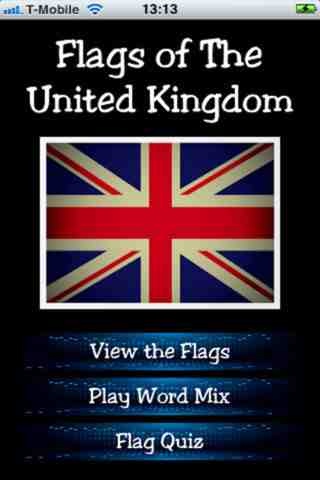
Set your favorite UK flag as your wallpaper, or simply browse through the extensive list of national or county flags.
Think you know your flags? Test your knowledge with "Word Mix" or the "English County Flag Quiz"
Word Mix - Unscramble the letters to spell the name of a county, country or Island before the time runs out. Score a point for each correct answer.
English County Flag Quiz - Click on the correct flag to answer the question, scoring a point each time.
A great app for anyone patriotic!
UK Flags :
United Kingdom (Union Jack)
England
Scotland
Wales
Northern Ireland
Isle of Man
Jersey
Guernsey
Herm
Sark
Alderney
Bedfordshire
Berkshire
Buckinghamshire
Cambridgeshire
Cheshire
Cornwall
Cumbria
Derbyshire
Devon
Dorset
Durham
Essex
Gloucestershire
Greater London
Hampshire
Herefordshire
Hertfordshire
Kent
Lancashire
Leicestershire
Lincolnshire
Norfolk
Northamptonshire
Northumberland
Nottinghamshire
Oxfordshire
Rutland
Shropshire
Somerset
Staffordshire
Suffolk
Surrey
Sussex
Warwickshire
Wiltshire
Worcestershire
Yorkshire
Requires iOS 5.0 or later. Compatible with iPhone, iPad, and iPod touch.
About United Kingdom Flags
The company that develops United Kingdom Flags is Robin Wood. The latest version released by its developer is 1.0.
To install United Kingdom Flags on your iOS device, just click the green Continue To App button above to start the installation process. The app is listed on our website since 2012-02-28 and was downloaded 10 times. We have already checked if the download link is safe, however for your own protection we recommend that you scan the downloaded app with your antivirus. Your antivirus may detect the United Kingdom Flags as malware if the download link is broken.
How to install United Kingdom Flags on your iOS device:
- Click on the Continue To App button on our website. This will redirect you to the App Store.
- Once the United Kingdom Flags is shown in the iTunes listing of your iOS device, you can start its download and installation. Tap on the GET button to the right of the app to start downloading it.
- If you are not logged-in the iOS appstore app, you'll be prompted for your your Apple ID and/or password.
- After United Kingdom Flags is downloaded, you'll see an INSTALL button to the right. Tap on it to start the actual installation of the iOS app.
- Once installation is finished you can tap on the OPEN button to start it. Its icon will also be added to your device home screen.
